$8 for 100 SKUs: A Practical Guide to GPT Image 2 for E-commerce Product Photography
AI Review Lab
May 3, 2026
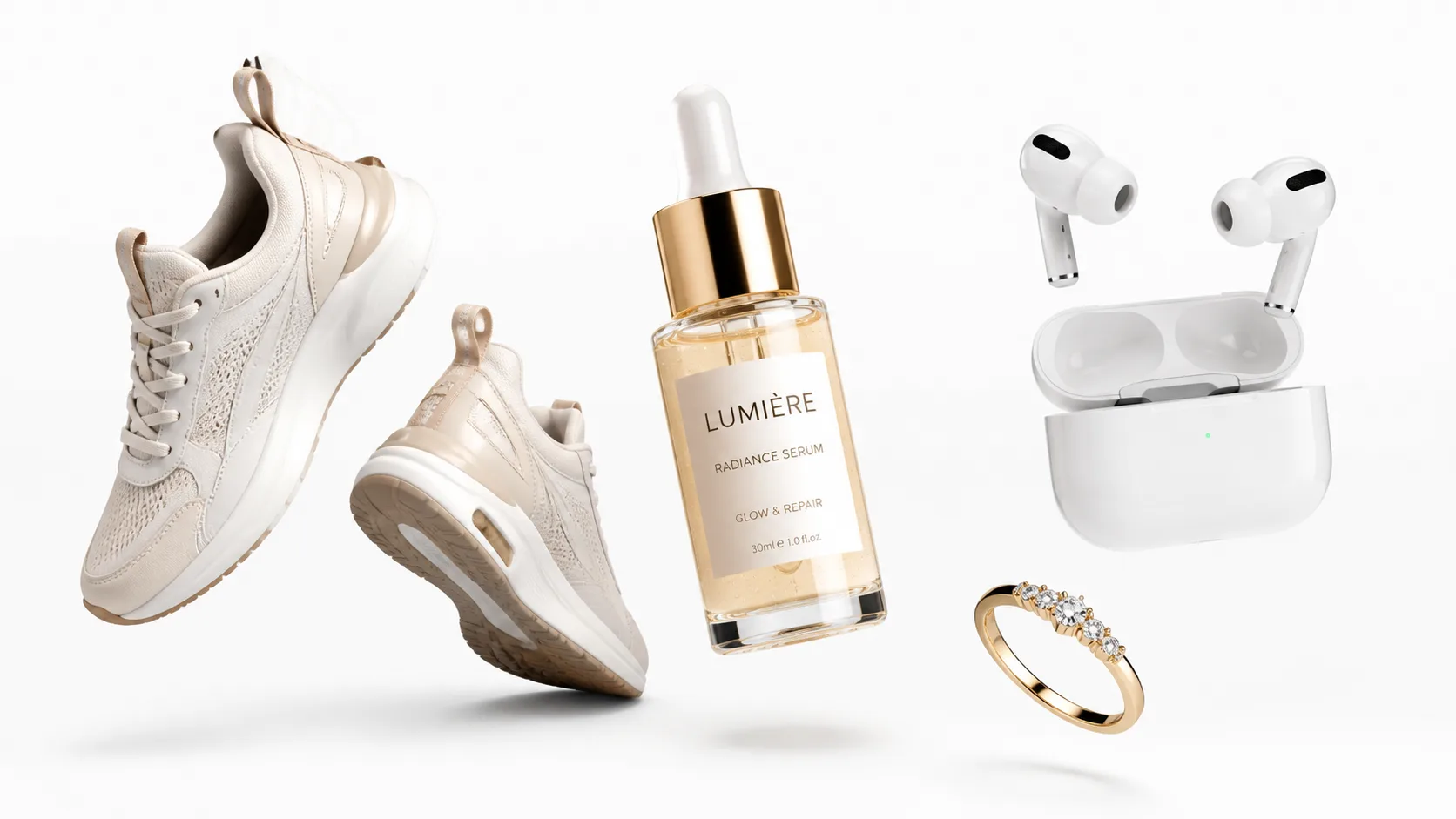
Stop using AI image generation as a photography studio—learn the best practices for generating e-commerce product images with GPT Image 2 to amplify your production capacity.
Stop using AI image generation as a photography studio—this is how e-commerce teams should actually work.
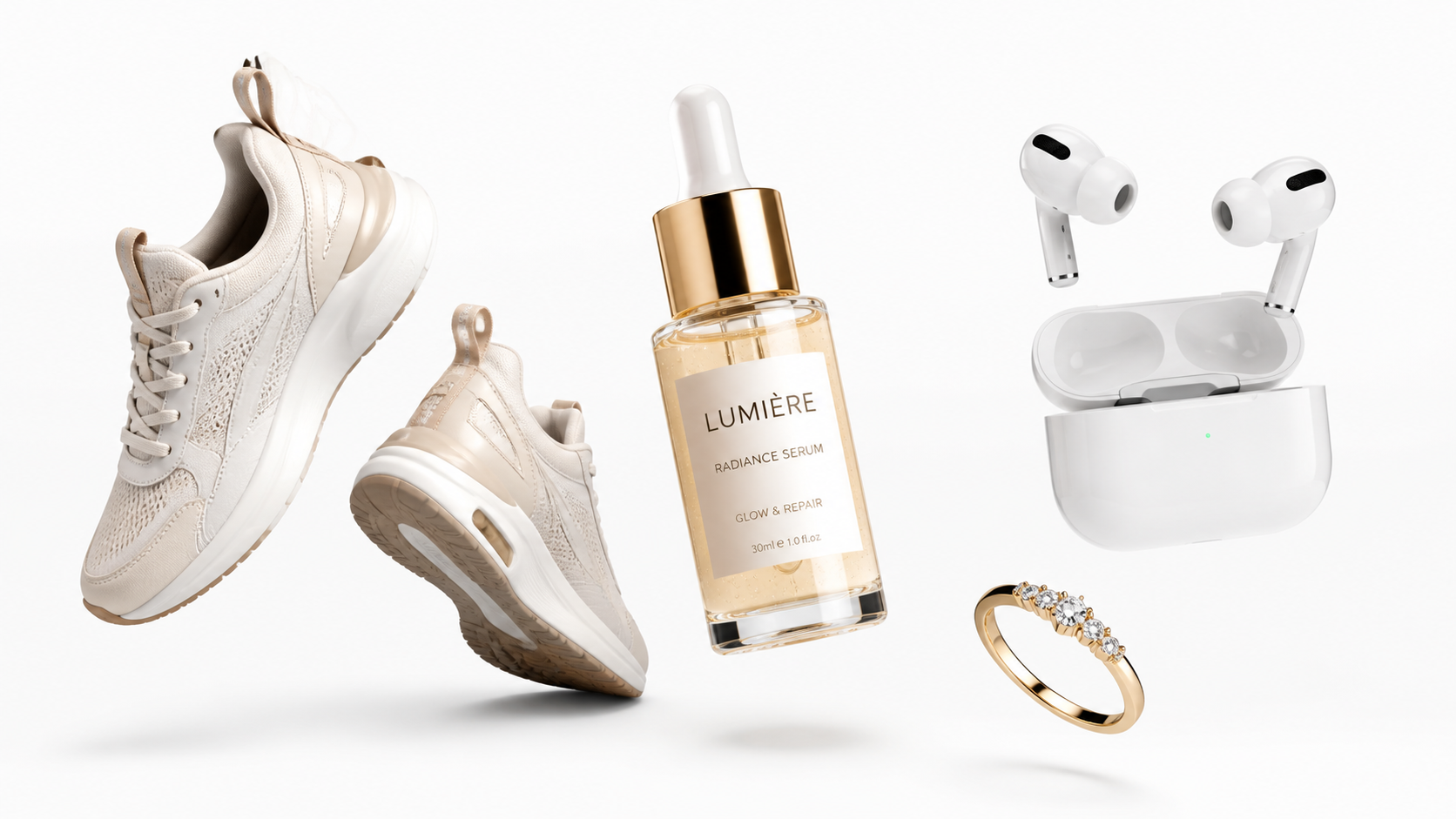
All example images in this article are generated by GPT Image 2. Want to try it yourself? Visit gpt-image-2.live to start creating.
Your Product Photography Workflow Might Be Wrong from Step One
Anyone in e-commerce knows that product photography is the lifeline of conversion rates. Whether a main image is good or not directly determines whether users will click.
But anyone who has gone through the traditional product photography workflow knows how painful it is: finding a photography team, setting up scenes, waiting for scheduling, retouching after shooting, revisions, adapting to different platforms... A complete set of images for one SKU costs hundreds if not thousands. When you have many SKUs, the image cost alone can eat up most of your profits.
The emergence of GPT Image 2 has given many people hope of "replacing real shoots with AI image generation." Through platforms like GPT Image 2, you can generate e-commerce-grade product images directly using natural language. But I want to pour some cold water first: If you treat GPT Image 2 as an "auto-photography studio exempt from review," you will likely fail.
Why? Because the core of e-commerce product photography is not "looking good," but being accurate. The color cannot be off, the bottle shape cannot change, the label cannot be wrong, the shoe last cannot lose its shape—these details are something AI cannot be 100% blindly trusted with yet. But this doesn't mean GPT Image 2 is useless for e-commerce. On the contrary, its value is much greater than you imagine.
The key is: You need to treat it as an "e-commerce visual engine," not a "black box replacing photographers."
The Best Practice in One Sentence
If you only remember one thing, remember this:
Use real product images as anchors, and let AI do background replacement, outpainting, scene addition, and variations. The main image is anchored by real assets, while secondary and scene images let AI amplify production capacity.
The core logic of this strategy is: hand over "things that cannot be wrong" (color, shape, labels, interfaces) to real photos for gatekeeping, and hand over "things that can be creative" (background, lighting, scenes, props, angles) to AI.
This utilizes AI's generation capabilities without falling into the trap of "looks similar but it's the wrong SKU."
Preparation Before Generation: Two Things Determine Success or Failure
Before opening the API, two things are more important than the prompt itself.
Number One: Build Your "Reference Package"
For each SKU, prepare at least one front-facing real product image. A safer approach is to prepare a set: front, side, back, details, packaging, and color card.
Why is this so important? Because GPT Image 2 supports multi-image input synthesis—you can feed it product images, scene reference images, and hand model pose images simultaneously, letting it combine them according to the relationships you specify. But if you don't provide reference images and rely purely on text descriptions, the model will "freestyle," and freestyle is exactly what e-commerce fears most.
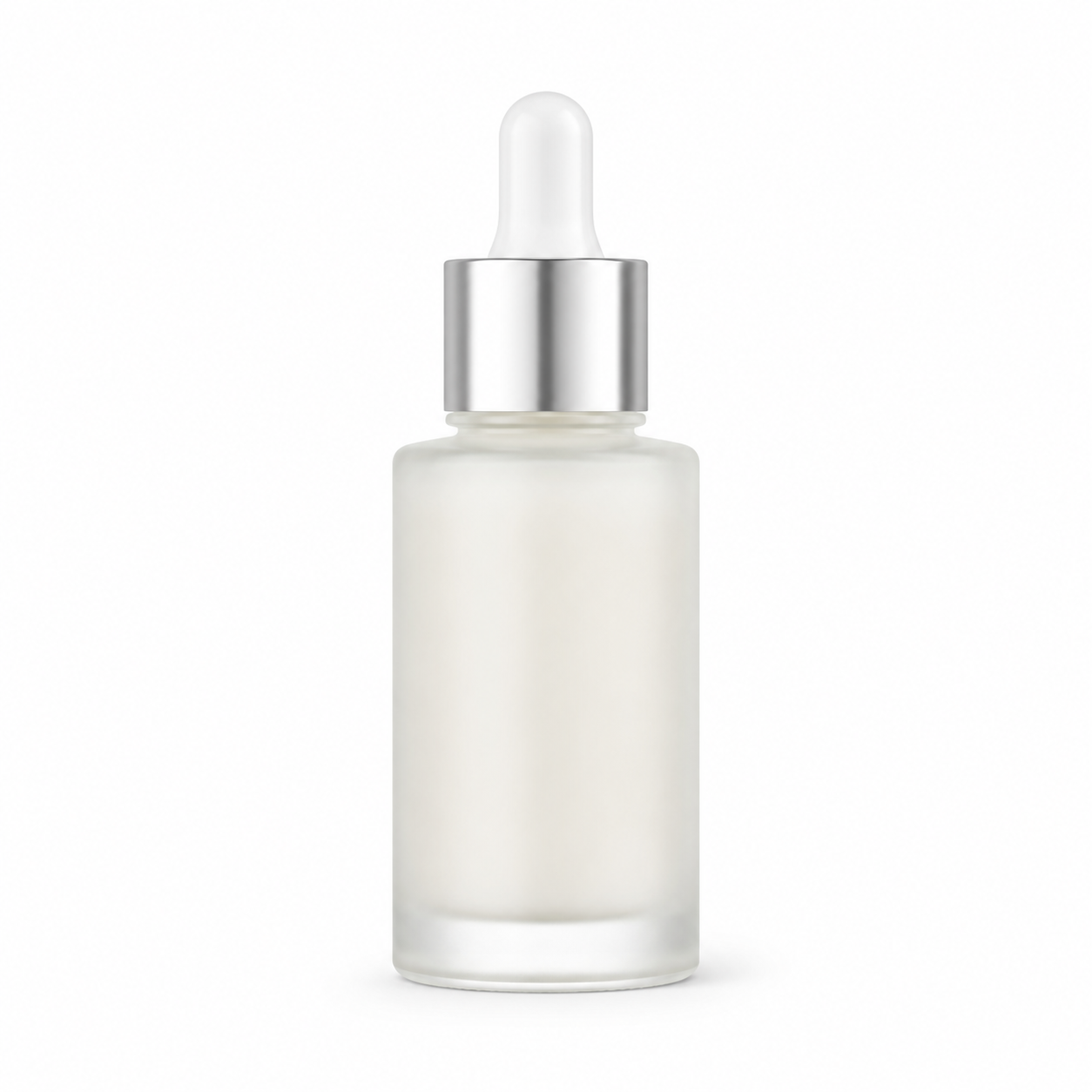
For example: You are selling a 30ml frosted glass essence with a silver metal dropper cap. If you only write text, AI might give you a cylindrical bottle with a gold cap—it looks plausible, but completely mismatches your real product. If you feed a real product image in for editing, the bottle shape, cap, and label position will be completely correct.
Number Two: Write an "Executable Brief"
Don't write briefs like "make it look more premium." A usable brief contains at least:
- SKU name, color, material, capacity/size
- Must-show faces (Front? 45°? Top-down?)
- Things that cannot appear (Extra props? Specific colors?)
- Target channel (Amazon or Shopify? Rules are completely different)
- Image list (How many main images, lifestyle images, and detail images?)
- Brand tone (Minimalist? Luxury? Sporty?)
- Reference images
Three Types of Images, Three Responsibilities
E-commerce product photography is not just one type of image, but at least three, each with completely different responsibilities:
White Background Main Image — Responsible for "seeing clearly." This is what users see in search results and list pages. Its sole task is to make your product recognizable at a glance, without conveying any redundant information.
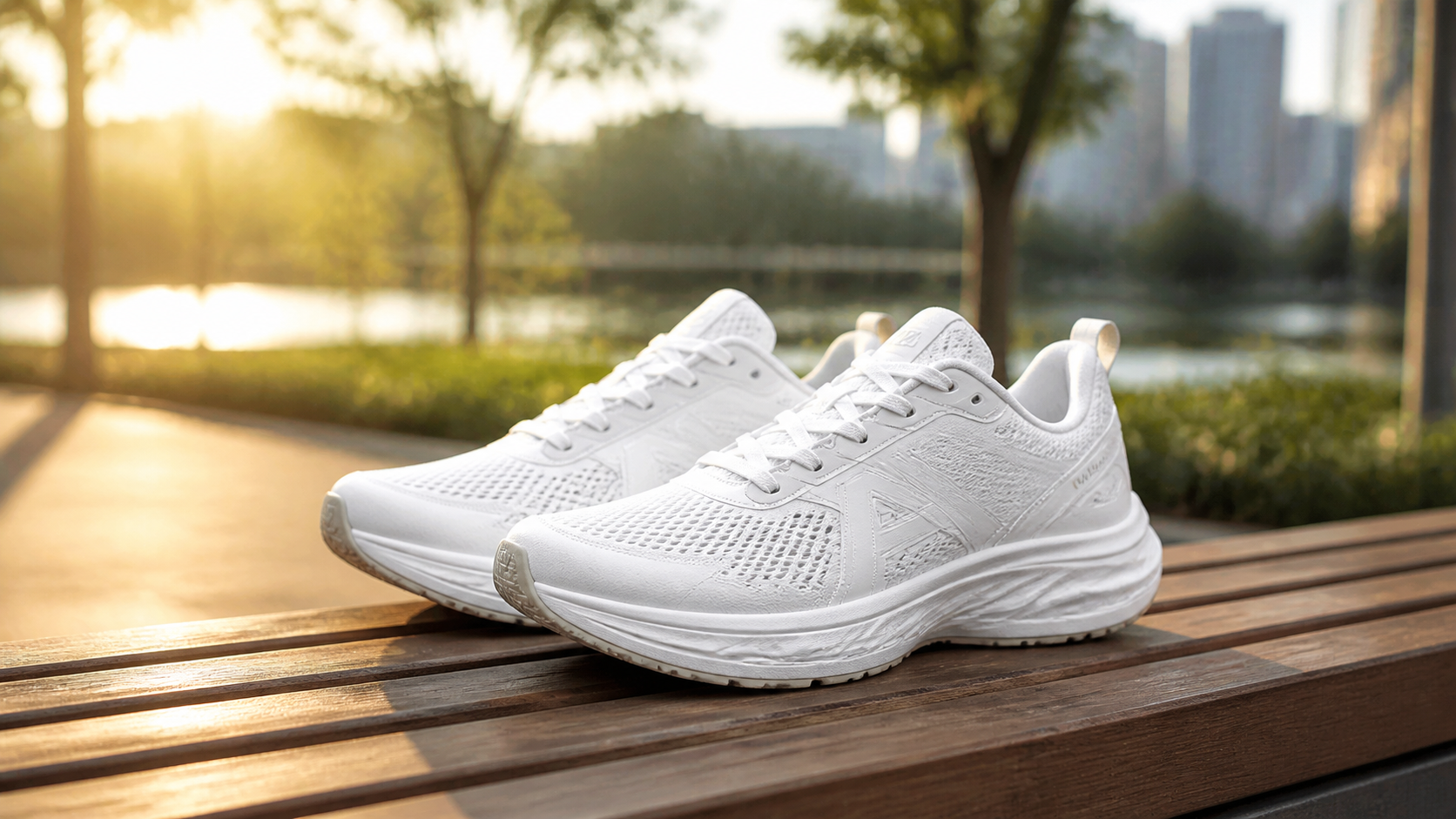
Lifestyle Image — Responsible for "imagining use." Placed in the secondary image slots on the product detail page, letting users see what the product looks like in real scenes, building usage associations and scale perception.
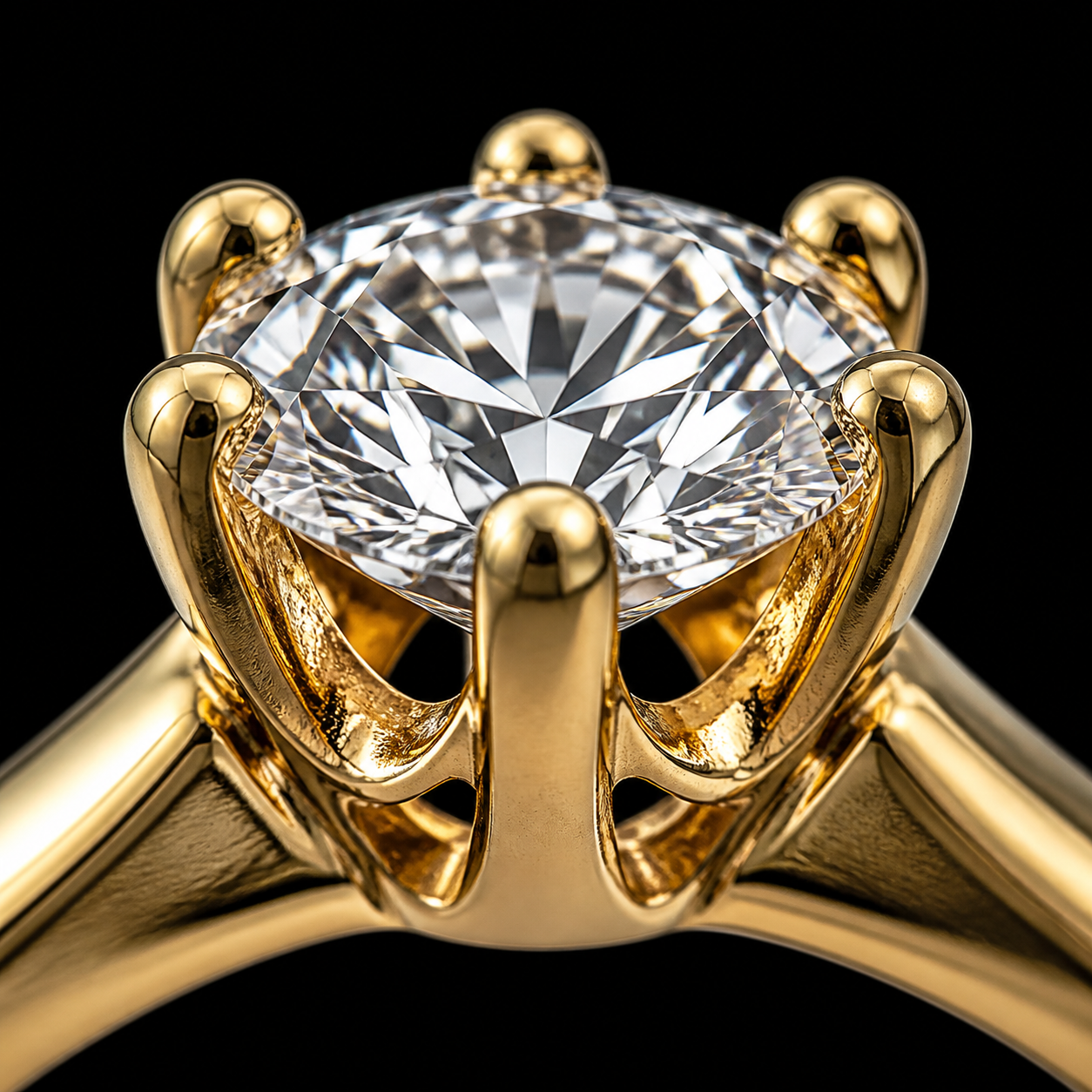
45° / Detail Image — Responsible for "proving quality." Fabric stitching, jewelry facets, headphone interfaces, wood grain textures... these detail images directly affect users' judgment of quality.
Key Principle: Do not let one prompt try to accomplish three goals simultaneously. White background images must be clean, lifestyle images must be rich, and detail images must be precise—these three directions are naturally contradictory. Before writing prompts, think clearly about which type of image you want.
How to Write Stable Prompts
OpenAI's official prompt suggestions are very suitable for e-commerce scenarios. I've summarized them into a universal skeleton:
Fixed Order: Scene → Subject → Details → Constraints
Purpose: [Amazon Main Image / Shopify Main Image / Detail Page Secondary Image]
Subject: [Product Name], [Material], [Color], [Packaging Form], [Key Structural Features]
Background: Pure white seamless background / [Specific Scene Description]
Composition: [Front / 45° / Top-down], subject centered, occupying [85%-95%] of the frame
Lighting: [Soft diffused studio lighting / Natural window light / Morning directional light]
Details: Retain real proportions, textures, stitching/interfaces/liquid/metal reflections
Constraints: No extra props, no watermarks, no extra text, do not change product structure
Three Iron Rules for Writing Prompts
First, define the style first, then fill in the content. "Commercial product photography" is ten thousand times more effective than "8K hyper-realistic masterpiece." The former gives the model the right direction, while the latter only makes it run towards exaggeration.
Second, use photography outcome words, not equipment worship words. Write "controlled highlights, sharp edges, realistic material texture," do not write "Canon EOS R5 + 100mm macro + Profoto B10." OpenAI officially stated that overly specific camera specs will be "loosely interpreted," so it's better to directly describe the visual outcome you want.
Third, constraints are more important than descriptions. "No extra props, no watermarks, no fictional logos, do not change product structure"—these constraint clauses often determine whether an image is usable. Many failures are not because the prompt wasn't good enough, but because it wasn't clear what cannot change.
Quick Reference Templates for Six Major Categories
Below are ready-to-use templates for six high-frequency e-commerce categories, each broken down into white background main image, lifestyle image, and detail image. Just change the parameters to use them.
Apparel
| Image Type | Prompt Template | Suggested Parameters |
|---|---|---|
| White Bg Main | [Category], color [Color], material [Material], worn on [Model Setting], pure white background, full front display, clear clothing outline, natural folds, subject occupies 90% of frame, no props, no extra text, no watermarks | 1024×1536, medium |
| Lifestyle | [Category] worn on [Target Audience Model], located in [Cafe/Street/Home] environment, natural posture, showing wearing state and drape, realistic fabric texture, commercial fashion photography | 1024×1536, medium |
| Detail | Close-up shot, highlighting [Neckline/Cuff/Stitching/Fabric Texture/Zipper], retaining real material and stitching, macro commercial product photography, minimalist background | 1024×1024, high |
Footwear
Amazon has clear rules for footwear main images: single shoe, facing left, 45° angle. Just write this rule directly into the prompt.
| Image Type | Prompt Template | Suggested Parameters |
|---|---|---|
| White Bg Main | Single [Shoe Name], facing left, 45-degree angle display, pure white background, realistic shoe shape, accurate sole and upper structure, clear material texture, subject occupies 90% of frame, no extra props, no text, no watermarks | 1024×1024, medium |
| Lifestyle | [Shoe Name] worn on model's feet, showing only below the calf, located in [Track/Street/Gym] environment, natural movement, realistic scale, shoe body color and structure remain unchanged | 1024×1536, medium |
| Detail | Macro close-up, highlighting [Upper Weave/Leather Texture/Midsole Layers/Outsole Pattern], commercial product photography, controlled highlights, realistic texture | 1536×1024, high |
Jewelry
The jewelry category is best suited for "pure product without models." White background, realistic display, no extra decorations—Amazon's jewelry rules are very clear.
| Image Type | Prompt Template | Suggested Parameters |
|---|---|---|
| White Bg Main | [Ring/Necklace/Earrings], pure white background, realistic jewelry photography, realistic metal polish, clear gemstone facets, subject centered, no mannequins, no busts, no text and watermarks | 1024×1024, high |
| Lifestyle | Jewelry worn on [Hand/Ear/Neck], model cropped to necessary parts, natural skin texture, jewelry remains the visual center, realistic scale | 1024×1536, high |
| Detail | Macro close-up, highlighting [Setting/Prongs/Links/Engraved Area/Facet Fire], controlled highlights, metal undistorted, realistic macro commercial jewelry photography | 1024×1024, high |
Electronics
Electronics fear mistakes in interface positions, button layouts, and small text. Prioritize the editing workflow, do not purely generate.
| Image Type | Prompt Template | Suggested Parameters |
|---|---|---|
| White Bg Main | [Headphones/Speaker/Charger], pure white background, realistic commercial product photography, clear shell material, accurate proportions, only show items included in sale, no misleading accessories, no text watermarks | 1024×1024, medium |
| Lifestyle | [Product] located in [Desktop Office/Living Room/Commute] realistic use scene, human hand interaction allowed, but subject remains the product, keep brand details and colors unchanged | 1536×1024, medium |
| Detail | 45-degree close-up or macro, highlighting [USB-C Port/Button Layout/Hinge Structure], high-fidelity real-shot style, adding components prohibited | 1536×1024, high |
Home Goods
Home goods cannot just have white backgrounds—users need scene images to understand the sense of scale. A chair placed in a living room versus on a white background conveys completely different amounts of information.
| Image Type | Prompt Template | Suggested Parameters |
|---|---|---|
| White Bg Main | [Cup/Storage Box/Lamp], pure white background, front or 45-degree e-commerce product photography, clear subject, controlled shadows, realistic materials, no extra props | 1024×1024, medium |
| Lifestyle | [Product] placed in [Living Room/Bedroom/Kitchen] realistic use environment, showing scale relationship and purpose, background not overly complex, retaining product as protagonist | 1536×1024, medium |
| Detail | Close-up shot, highlighting [Wood Grain/Fabric Fibers/Glaze/Metal Spray/Seams], realistic tactile feel, controlled reflections, commercial product detail photography | 1024×1024, high |
Beauty & Personal Care
Beauty is the category GPT Image 2 is best at—language descriptions of materials like glass, liquids, creams, droppers, and metal caps are very mature. But products with key copy on the packaging must use real reference images for editing.
| Image Type | Prompt Template | Suggested Parameters |
|---|---|---|
| White Bg Main | [Essence/Cream/Lipstick], pure white background, commercial skincare product photography, realistic bottle shape, natural liquid/cream texture, accurate label layout, no extra floral props | 1024×1024, medium |
| Lifestyle | [Product] located in [Sink/Vanity/Bathroom Shelf] environment, a hand can naturally reach for it, premium brand atmosphere but not overly cluttered, product remains visual center | 1024×1536, medium |
| Detail | Macro close-up, highlighting [Glass Thickness/Pump/Dropper/Cream Texture], controlled highlights, realistic material photography | 1024×1024, high |
How Much Does It Actually Cost? Let's Do the Math
Many people have no concept of the cost of AI image generation. Through the GPT Image 2 online platform, you can directly experience and generate e-commerce-grade product images. GPT Image 2's pricing is sufficient to support catalog-level production:
| Quality Tier | 1024×1024 Unit Price | Suitable Scenarios |
|---|---|---|
| low | ~$0.006 | Batch drafts, composition exploration, background testing |
| medium | ~$0.053 | Most final images, white bg main images, lifestyle images |
| high | ~$0.211 | Hero images, jewelry details, text-dense packaging goods |
100 SKUs doing only white background main images: 4 low drafts + 1 medium final image per SKU, total cost about $7.70. Using the Batch API can cut it in half to $3.85.
100 SKUs doing a complete 3-image set: Main image + lifestyle image + detail image, each with 3 low + 1 medium, total cost about $18.30, Batch mode about $9.15.
Compared to the cost of traditional photography, this number is almost negligible.
Optimal Strategy: All low drafts in the first round, selected images upgraded to medium, only hero images and jewelry details go to high. This is the best balance of cost and quality.
Different Platforms, Different Export Strategies
This is the easiest mistake for many e-commerce sellers to make: one set of images for all channels. Amazon and Shopify have completely different requirements for product images and must be done separately.
Amazon Main Image Requirements
- Pure white background (RGB 255,255,255)
- Accurately represent the actual product
- Subject occupies 85%+ of the frame
- Long edge at least 1000 pixels (1600+ recommended, 2000 is safer)
- No extra text, watermarks, or misleading props
- Only show the product being sold itself
Shopify Product Image Requirements
- High resolution (2048×2048 recommended as default)
- Uniform aspect ratio
- Reasonable file format (JPEG for pure photography, PNG/WebP for transparent backgrounds)
- Add alt text (short, highly descriptive, usually under 125 characters)
Recommendation: Export at least two separate sets: an Amazon compliant main/secondary set, and a Shopify product/collection page set. Use PNG for master archiving, and export JPEG or WebP as needed by the channel.
The Complete Pipeline from Generation to Go-Live
Tying everything above together, the complete workflow for one SKU looks like this:
- Write Brief — SKU name, color, material, size, target channel, image list
- Build Reference Package — At least one front real image, safer to prep front/side/back/detail/packaging
- Choose Generation Route — Have real images → Editing/multi-image synthesis flow; No physical item → Pure generation concept flow
- Batch Drafts — First round low, 4-6 images per template, choose direction on composition and scene
- Manual Selection — Pick the best compositions closest to requirements
- Upgrade to Final — Upgrade selected images to medium or high for regeneration
- Post-Processing — Edge trimming/background removal, color calibration, local fixes
- Export & Naming — Export different formats and sizes by channel, unify naming conventions
- Upload & Verify — Upload to platform, check display effect
Once a mature template library is running, the white background main image pipeline can be compressed to just minutes of manual processing time per SKU.
QA Checklist: Mistakes You Cannot Make
AI-generated product images cannot go live directly; they must pass at least these checks:
- Geometric Accuracy — Shape, interfaces, bottle shapes, shoe lasts are not distorted
- Color Consistency — Close to the real product/reference image
- Background Compliance — Is the Amazon main image pure white? Does the transparent version really have an alpha channel?
- Subject Proportion — Does the Amazon main image reach 85%+?
- Clarity — No blur, no jagged edges, no severe compression artifacts
- Misleading Elements — Are there unsold accessories, extra text, or watermarks?
- Detail Credibility — Are stitching, textures, liquids, and metal reflections realistic?
The most easily overlooked is edge halos—especially for glass products, transparent plastics, and jewelry bezels on white backgrounds. Be sure to check them individually.
Post-Processing Only Fixes "Verifiable Errors"
GPT Image 2's output does not equal the finished product. Before entering the sales page, three types of post-processing are usually needed:
- Background Removal & Edge Trimming — Photoshop Remove Background or manual masking
- Color Matching — Use real packshots as reference to unify color temperature and brightness across multiple images
- Local Retouching — Photoshop Generative Fill to remove noise, trim edges, replace small background areas
But one principle is very important: Retouching only fixes verifiable errors, do not turn post-processing into redesigning the product. Once you start using post-processing to "beautify non-existent details," you have deviated from the responsibility of e-commerce product photography.
Legal Reminder: AI Does Not Take the Blame for Compliance
Finally, a point many people overlook but is extremely important.
OpenAI's terms are very clear: You retain the rights to the input content and own the output, but you are responsible for the use and suitability of the output. This means:
- Product images and model images you upload must be owned by you or licensed for commercial use
- Any recognizable persons should have commercial releases
- Do not directly write "imitate the style of [living photographer/artist]" (OpenAI will reject it)
- Do not create logos and packaging out of thin air for third-party brands
- AI outputs are not guaranteed to be unique—other users might get similar results
Real brand assets still require trademark, copyright, and design clearances.
Start Now
All prompt templates in this article can be copied and used directly. If you want to personally experience GPT Image 2's e-commerce product image generation capabilities, you can visit gpt-image-2.live, input the prompts from this article, and see the results in minutes.
Starting from one SKU and running through the complete "low draft → medium final → manual retouching" workflow, you will understand why I call it an "amplifier" rather than a "replacement."